Hello PolicyStat Administrators! We’ll be posting Policystat feature release notes in this thread. Be sure to check back in for new updates.
Bookmark this page to make it easier next time: PolicyStat Feature Release Announcements

Hello PolicyStat Administrators! We’ll be posting Policystat feature release notes in this thread. Be sure to check back in for new updates.
Bookmark this page to make it easier next time: PolicyStat Feature Release Announcements
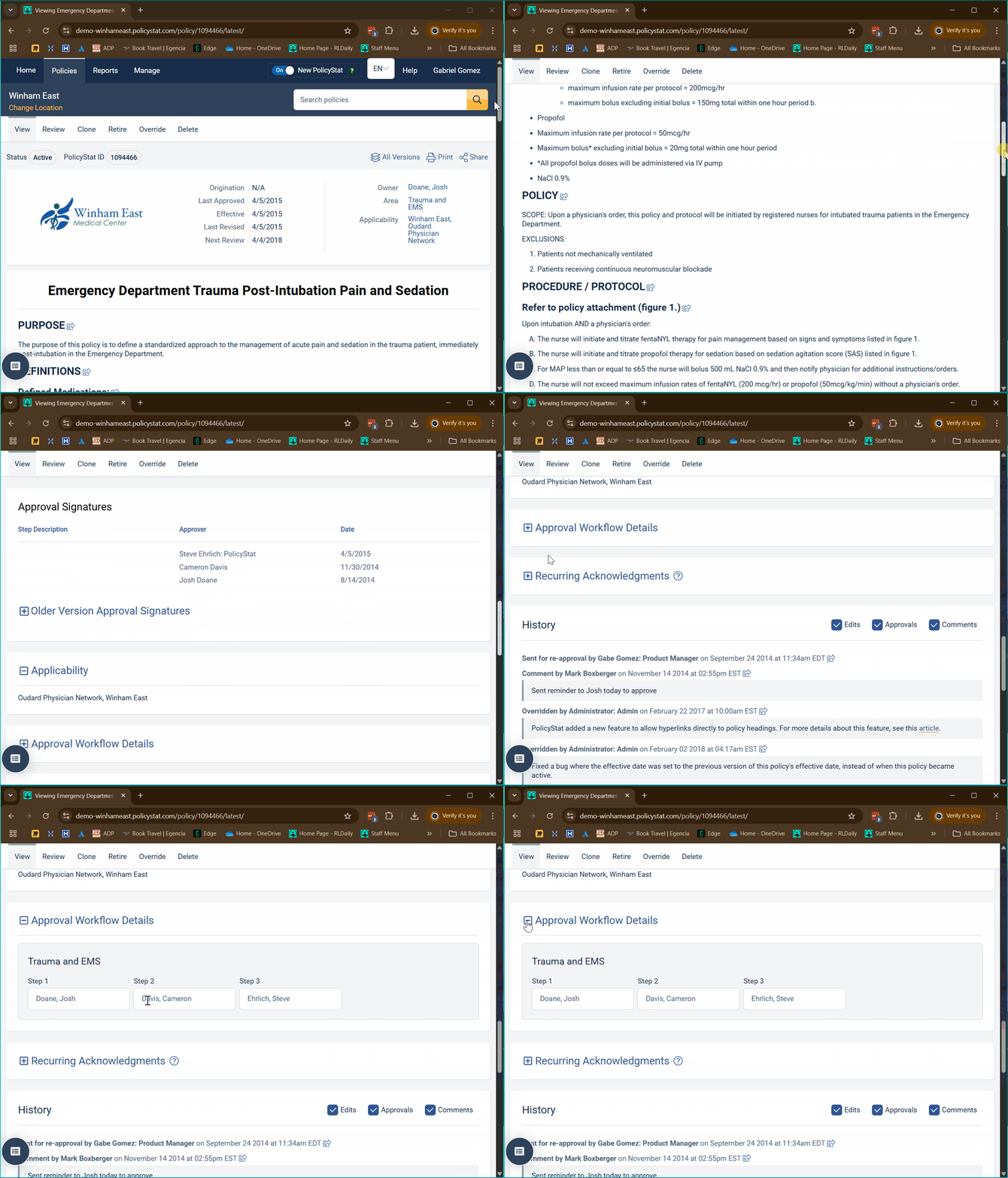
 Release Notes: Approval Workflow Display on Policy View Page
The approval workflow for each policy is now prominently displayed on the policy view page. This enhancement addresses the frequent need for administrators and policy owners to reference the approval chain when creating related policies or updating existing workflows.
Hi there!
There isn’t a link to the release notes, as far as I can tell. Can you share it again? Also, when will the approval workflow section be visible? I don’t see it on any of our policy documents, will it be viewable after the next PolicyStat service update?
Thanks so much!
Hi @ashley.francois! There are release notes in the post above yours  .
.
I’ll be posting more updates as ‘replies’ to my original message at the top to keep all the updates in once place.
For some reason there is nothing showing up for me in your post. It says to click below, but there isn’t anything to click. I tried viewing the post in a different browser, but it still isn’t showing anything.
Here’s the link: I’ll need to figure out why you’re not seeing this.
https://hubcommunity.rldatix.com/forum/t/policystat-new-feature-releases/10362/2?u=gabriel.gomez
Thank you! I was able to see this link and the release notes. But I still don’t see where this has been updated in PolicyStat. Should we be able to see the workflow info now?
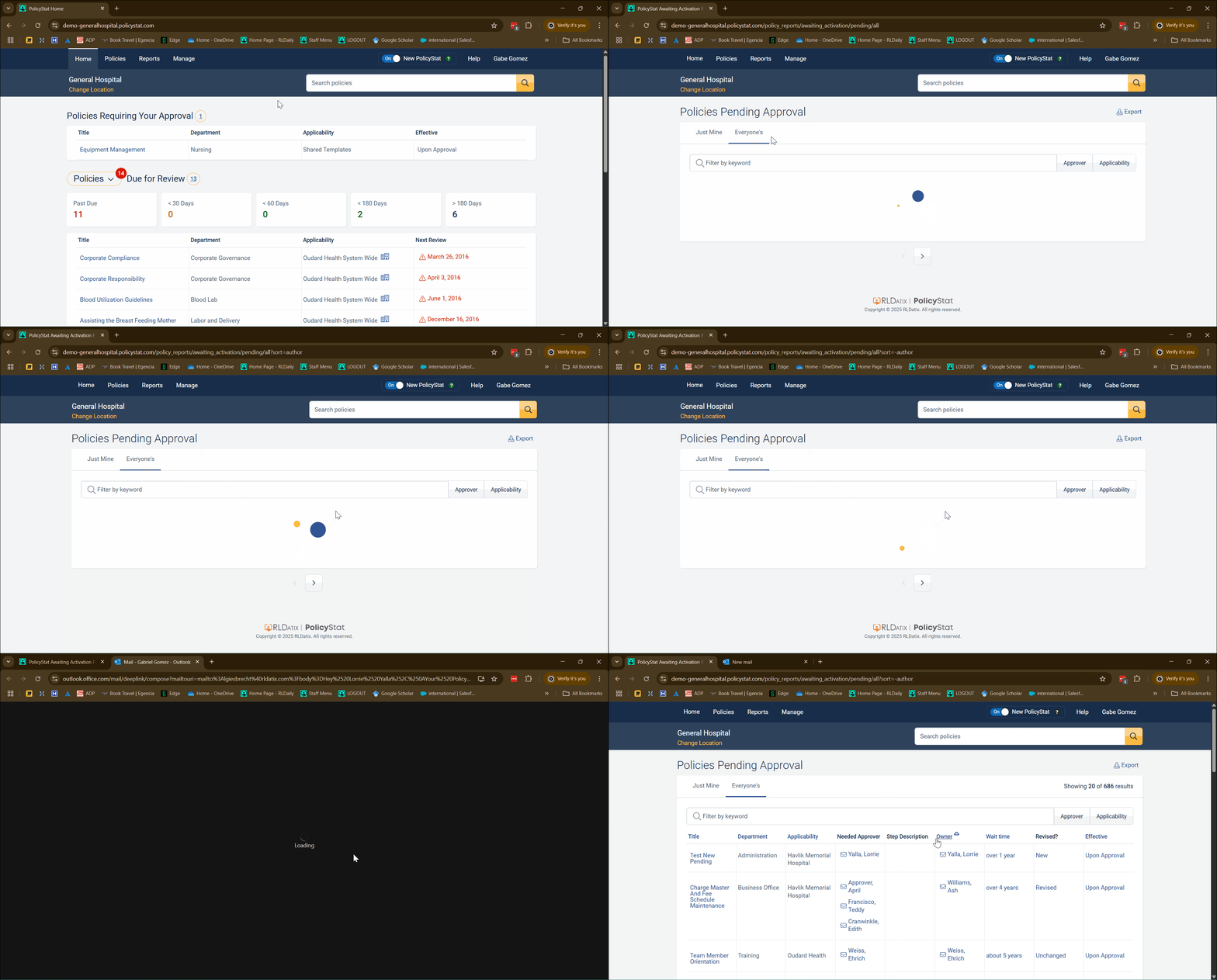
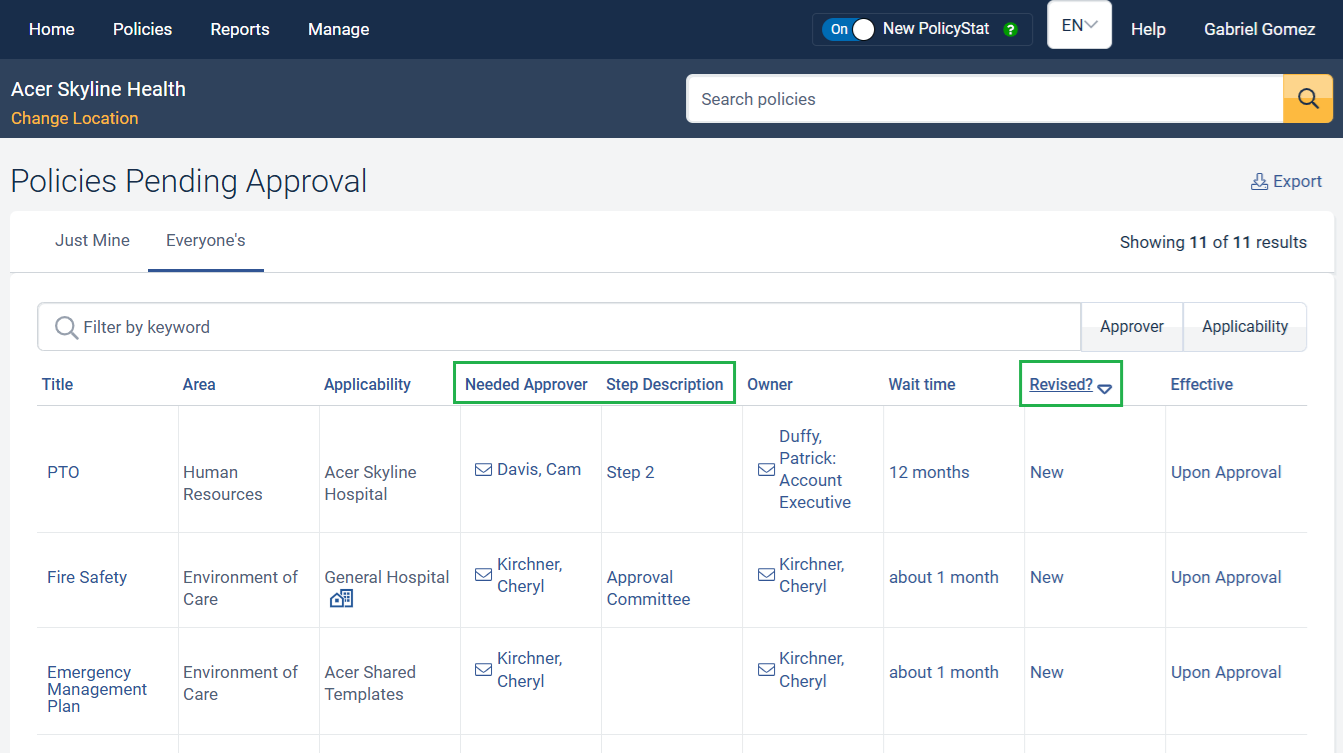
Release Notes: Add Owner Column to ‘Policies Requiring Approval’ Report
A sortable, policy owner column has been added to the policies requiring approval report.
Good morning,
I noted the individuals in the approval workflow listed on the policies do not match the names of the individuals listed from the admin page.
Hi. Was the approval workflow updated recently?
@jacqueline.king There is a fix going out today that will address an issue when the policy workflow changes, then panel on the active view will update to what it has been changed to. Does that sound like that would address the issue you’ve noticed?
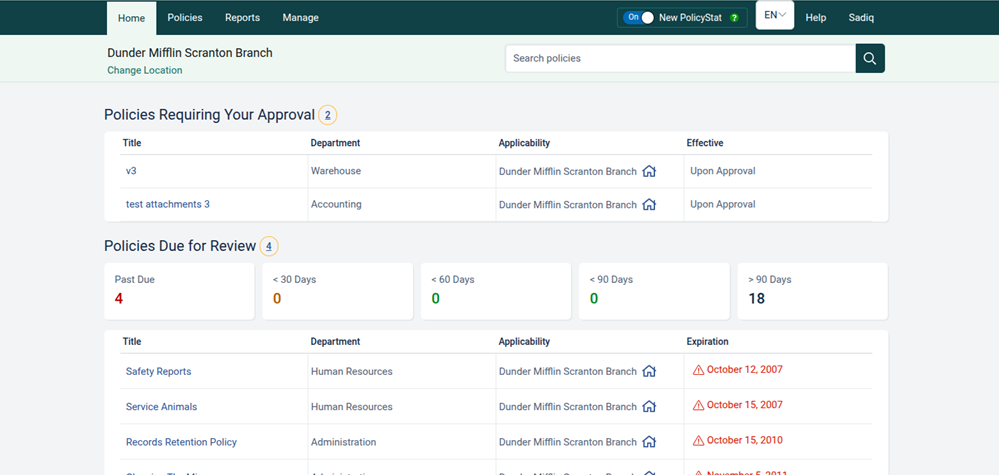
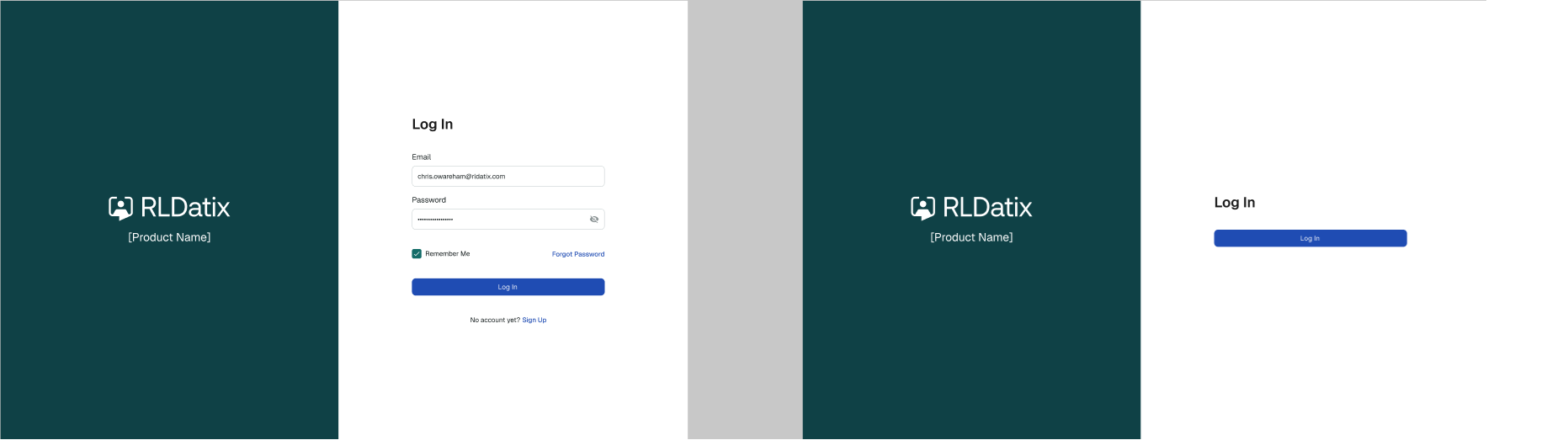
Release Notes: RLDatix PolicyStat Login Page and UI Update
The login page update and color refresh is the first of a series of UI updates planned over the next year to bring all of the RLDatix platform applications under the same look and feel.
Release Notes: Pending Policies Report Sorting
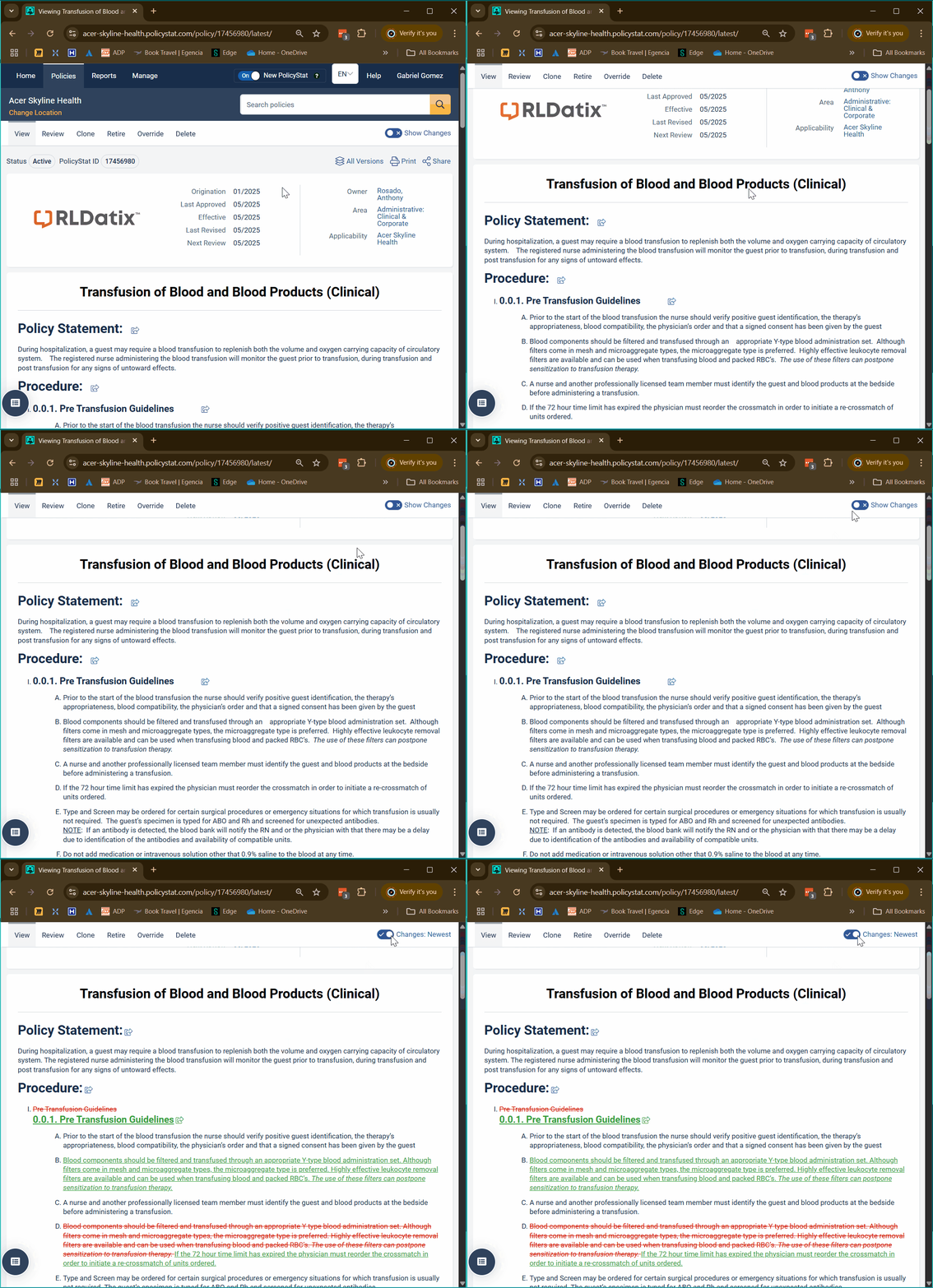
Show Changes on Active Policies
We are pleased to announce the release of a new feature that allows staff to view changes between the previous and current versions of an active policy. This enhancement brings several benefits to hospital staff:
The version comparison tool is intuitive and user-friendly. When accessing a policy, staff will see an option to ‘Show Changes’ and compare it with the previous version. Differences between versions will be clearly marked, making it simple to spot changes at a glance.
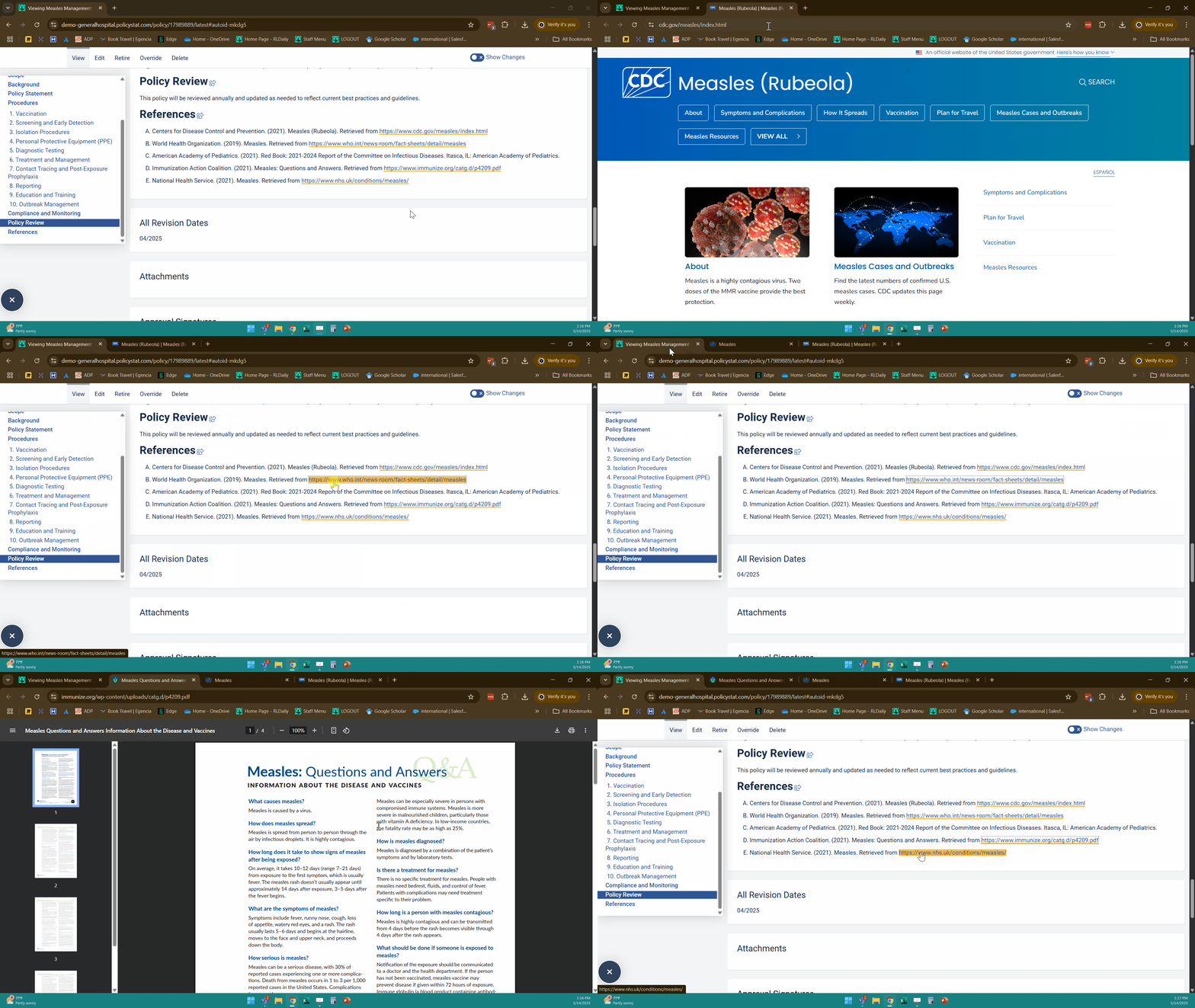
Links Open in New Tabs
We’re excited to announce a significant improvement to our link handling system:
While the default behavior has changed, editors retain the ability to customize link settings according to their preferences.
This update addresses common navigation pain points and streamlines the overall user experience.
Hi Gabe,
This feature has been a great enhancement. Today I noticed when I open the Approval Workflow Details within an active policy that the there are blank fields anywhere the step is assigned to the policy owner. So it will have the name of the step, but the box under it is empty. This was not previously the case. Do you know if this is a temporary issue?
I will reach out via RLDatix message and send you a screenshot.
Hi @enessa.whitten. Thanks for bringing this to my attention. Yes, this looks like a defect to me, too. If you could, please submit a support ticket. You’ll get tracking on the issue and be notified when it’s updated or resolved.
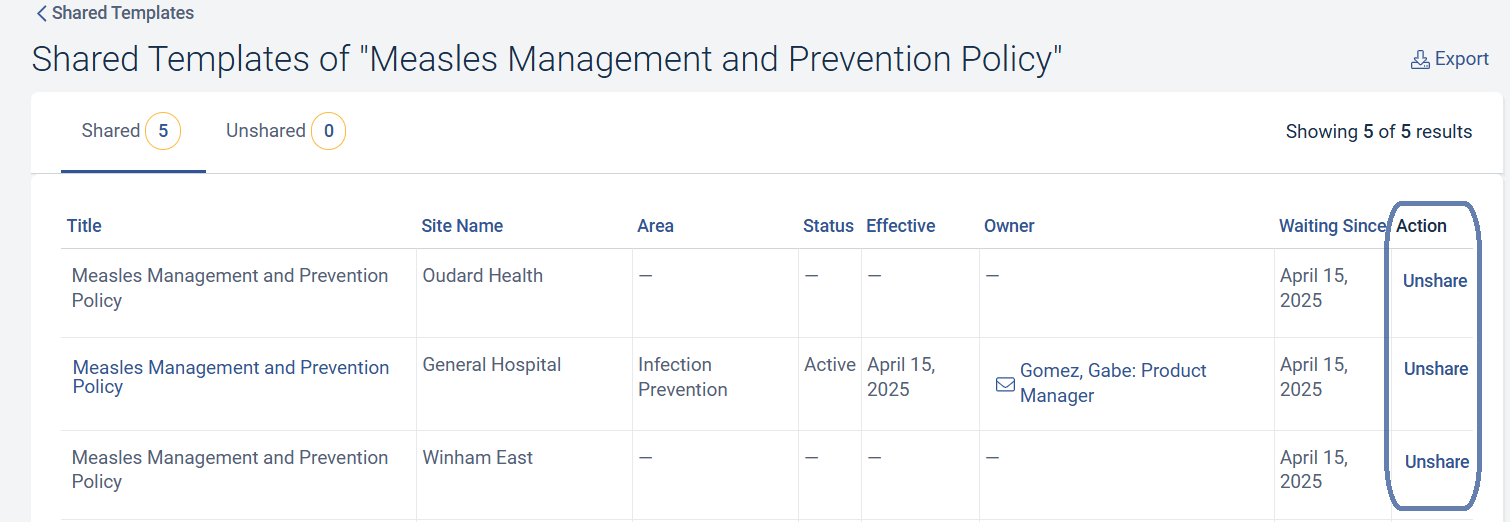
Unshare EPS templates from a single location
Admins can now un-share Enterprise Policy Sharing templates for a single location at a time after it has been pushed out to multiple locations. Prior to this feature, it was not possible unless the policy was edited and reapproved.
Fantastic! We are implementing EPS in the next couple of months or so. Glad to know this will be available